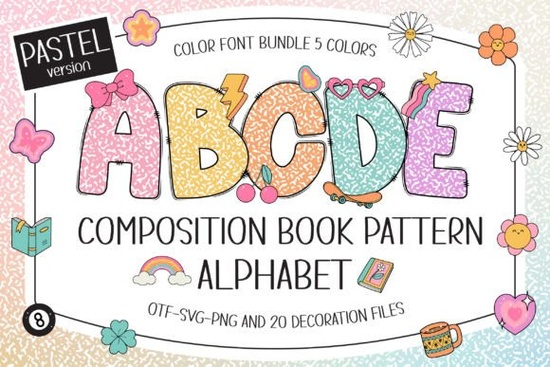
If you're looking for a playful, classroom-friendly font that blends vintage composition book texture with soft pastel charm, the Composition Book Pattern Pastel Font is a thoughtful choice. It’s not just another decorative typeface it’s designed with real creative workflows in mind, especially for educators, scrapbookers, small-batch crafters, and print-on-demand sellers who want consistency across physical and digital projects.
What makes this font different from other “school-themed” fonts?
Most chalkboard or notebook-style fonts lean heavily into either realism (like scanned paper textures) or minimalism (clean sans-serifs with subtle lines). This one bridges both: it uses the familiar black-and-white ruled-line background of a classic composition book but overlays each letter with a soft pastel fill and subtle Y2K doodle accents (think tiny stars, hearts, arrows, and squiggles). You get five coordinated pastel color options mint, lavender, peach, sky blue, and butter yellow so you can match your brand palette or seasonal project without switching fonts.
The set includes 20 bonus doodle cliparts, all styled to match the font’s hand-drawn, slightly imperfect vibe. These aren’t generic icons they’re drawn to complement the letterforms, making them easy to layer behind names, tuck into corners of posters, or scatter across planner pages.
Which design programs actually support the color version?
This matters more than it sounds. The color version (with pastel fills and embedded doodles) works natively in Adobe Photoshop, Illustrator, Silhouette Studio (v5+), and Inkscape. It does not work in Cricut Design Space as a color font though the black-only version does. If you use Cricut regularly and need cuttable outlines, stick with the black version. But if you’re designing sublimation mugs, printable worksheets, or layered SVG posters, the pastel version gives you richer visual control right in your editor.
For clarity: the OTF/TTF files for the color version are not compatible with Cricut, even when uploaded manually. That’s because Cricut doesn’t render OpenType color fonts (COLR/CPAL tables). If you’ve ever tried loading a multicolor font and seen only outlines or blank glyphs, that’s why. For help troubleshooting, Creative Fabrica’s Ultimate Font Guide walks through setup steps for each major platform.
Where do people actually use this font?
Here’s what real users tell us they’ve made with it:
- Classroom media: Name tags, behavior charts, reading logs, and editable Google Slides templates especially popular with kindergarten and elementary teachers wanting warm, non-intimidating visuals.
- Scrapbooks & planners: Hand-lettered journal headers, monthly spreads, and memory-keeping kits where soft color + texture adds personality without overwhelming photos.
- Personalized gifts: Baby shower onesies, custom notebooks, and birthday cards particularly for kids’ birthdays or teacher appreciation gifts.
- Small-batch merch: Sublimated tote bags, enamel pins, and vinyl decals where the pastel tones translate well to fabric and metal finishes.
It pairs naturally with other relaxed, handmade-feeling fonts like Sweet Scribble Font, especially when building cohesive design kits. And if you already own the black version, adding the pastel set expands your options without duplicating effort you keep the same spacing, weight, and rhythm, just with new color flexibility.
How to get the most out of it (without overcomplicating things)
Start simple: try it on a single-word header first like “Welcome” on a classroom door sign or “June” on a printable calendar page. The pastel fill means you don’t always need a background shape or shadow to make it pop. Then layer in one or two of the included doodles not as filler, but as intentional punctuation (e.g., a tiny star after a student’s name on a certificate).
Avoid stacking too many effects. Since the font already has texture and color, skip heavy drop shadows or glows unless you’re aiming for a very specific retro poster look. Let the built-in charm do the work.
If you’re selling printables or merch, test how the colors hold up on your intended output: some pastels soften slightly on uncoated paper or cotton blends. A quick print proof saves time later.
Before you download: Double-check which version matches your main tool. Use the black version for Cricut, Silhouette Basic, or any workflow needing crisp vector cuts. Choose the pastel version if you’re working in Photoshop, Illustrator, or Silhouette Designer Edition and want ready-to-use color and doodles baked in.
Download Now Discover the Creative Versatility of Sweet Scribble Font
 Free & Playful Cute Animal Font Downloads
 Why Helvetica Font Is a Design Classic
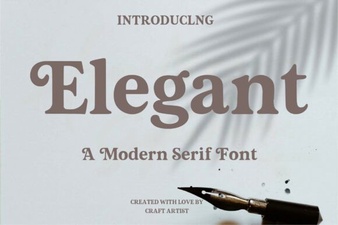 Selecting Elegant Fonts for Exceptional Web Design
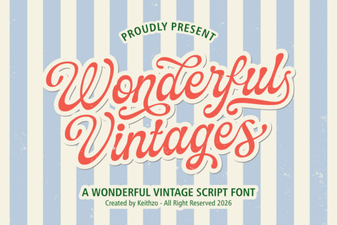 Wonderful Vintages: Classic Font for Modern Design
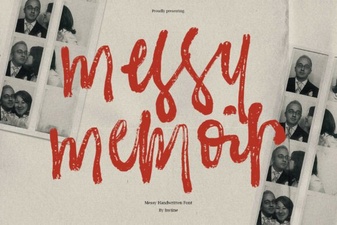 Craft Authentic Stories with Messy Memoir Font